
Date Structure
wangEditor is based on Slate.js, so you may learn Slate node design first.
What
You maybe have learned editor API, let me ask you some questions.
editor.addMark(key, value)can set tet style, but how can I set through-line, Whichkeyandvalue?editor.insertNode(node)can insert a node, but how can I insert a link node, how to define thenode?SlateTransforms.setNodes(editor, {...})can set node props, but how can I set line-height, how to define{...}?
This article will tell you all of the node types and props, so you can do everything by the editor API.
Getting Started
If you want to know a node structure quickly, it's very simply.
- Create an editor and run in browser, or use demo
- Do something, like: bold, set color, set header ...
- Run
editor.childrenin browser's console
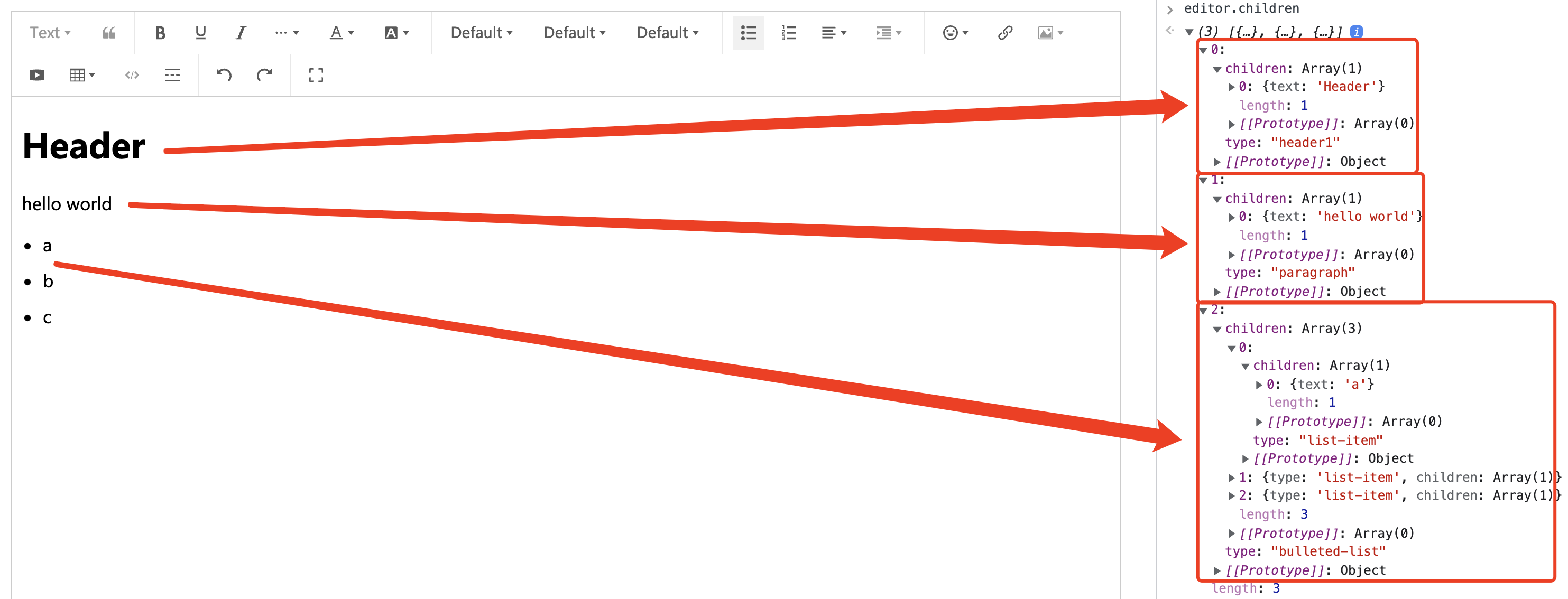
For example, you type some text, set a header or list, run editor.children then you can see it's structure
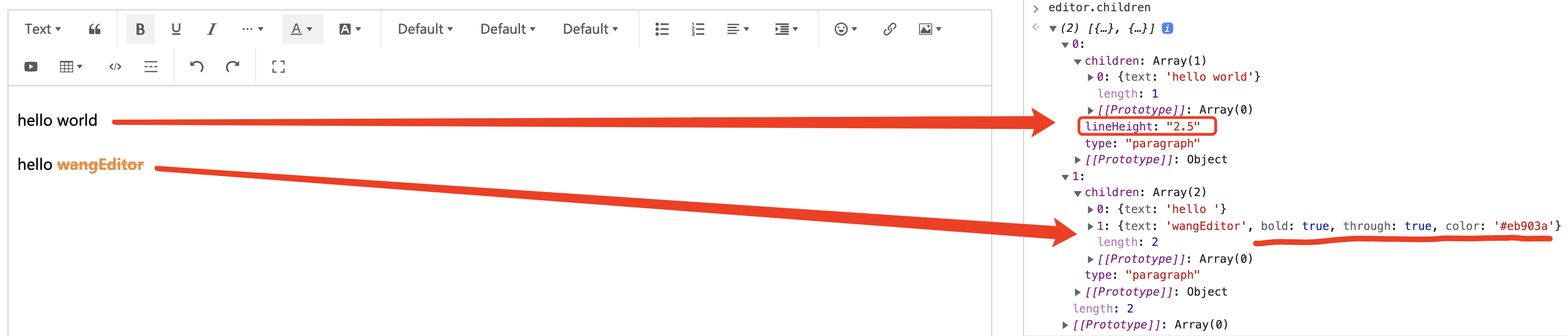
Set line height and text style, run editor.children then you can see it's structure
Text Node
A text node must have a text prop, like { text: 'hello' } . You can extend custom props, for instance bold text can be { text: 'hello', bold: true } .
Text node is leaf node, it can not have children prop.
Element Node
An element node must have two props type and children , like { type: 'header1', children: [ { text: 'hello' } ] } . You can extend custom props, for instance { type: 'header1', textAlign: 'center', children: [ { text: 'hello' } ] } .
Inline Element
By default, an element node is block style, like <div> in HTML. But we want some elements are inline style, like <img> <a> .
We can define an element node as inline by rewrite editor isInline API, see link element plugin source code.
Void Element
By default, an element node is not void node, it can have children. But we want some elements ar void node, like <img> <video> .
We can define an element node as void by rewrite editor isVoid API, see image element plugin source code.
Void element must have a children prop, which involve an empty text node. A image element is like:
{
    type: 'image',
    // other props ...
    children: [{ text: '' }] // A void element must have a children props, which involve an empty text node.
}
All Nodes Structure
See type in every source code.
- Text style - Extend text node props
- Font color and background color - Extend text node props
- Paragraph - Define element node
- Line height - Extend element node props
- Font size and family - Extend text node props
- Justify - Extend element node props
- indent - Extend element node props
- Link - Define inline element
- Header - Define element node
- Blockquote - Define element node
- Image - Define inline and void element
- Split line - Define void element
- Code block - Define element node
- List - Define element node
- Table - Define element node
- Video - Define void element